




Property Management Tax Reports for Landlords
Track every deductible expense, gain portfolio insights, and make tax time easy with our industry-specific financial reports.

Free for up to 3 units · No credit card required
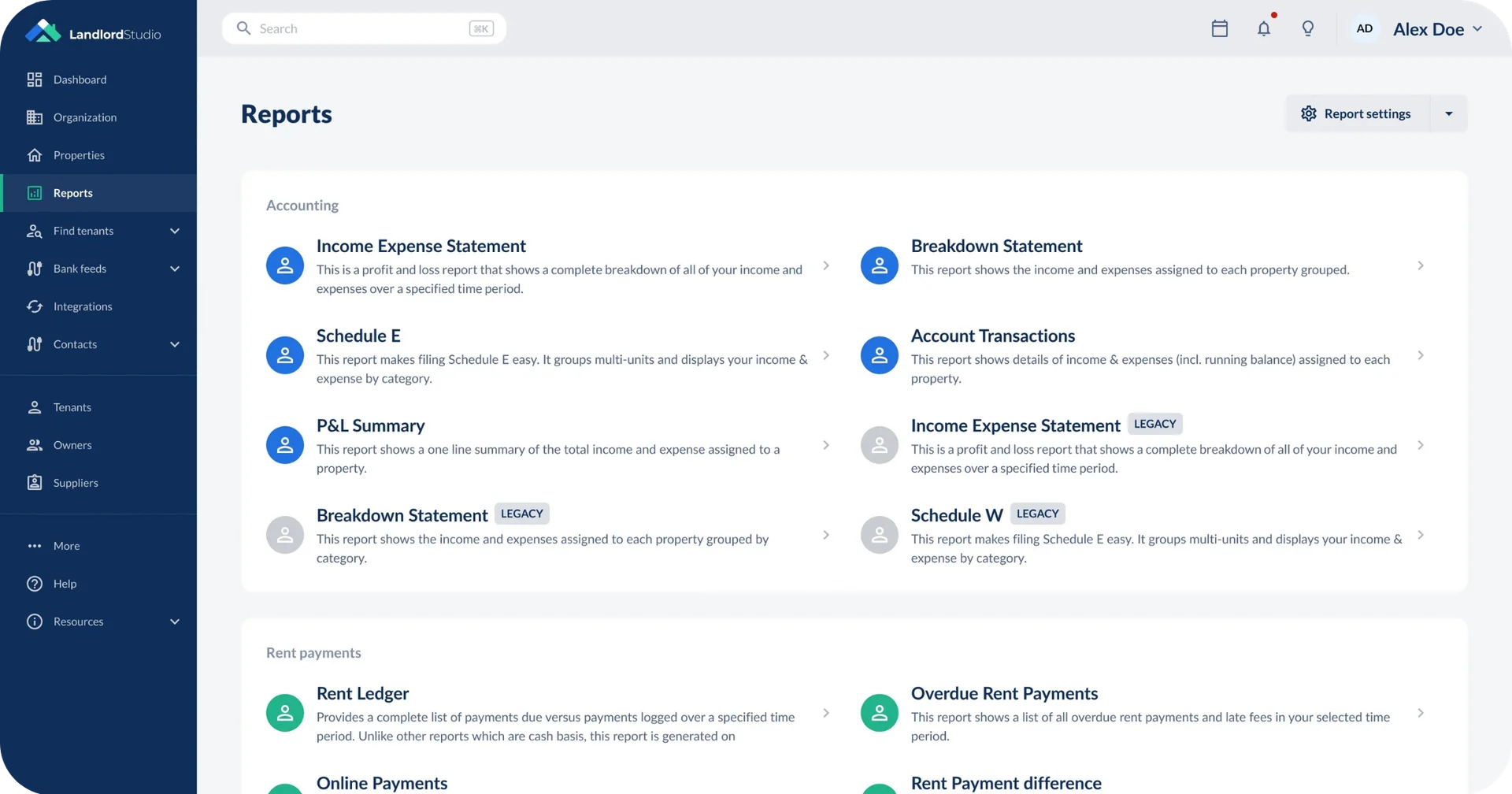

Track and optimize the performance of your property portfolio.
With property-specific expense categories aligned with IRS requirements, our rental bookkeeping tools make it easy to generate reports, track deductible expenses, see your taxable rental income and improve profitability.
Effortless rental tax reporting
Complete your IRS tax filing with accounting and reporting tools designed to save you time and money.
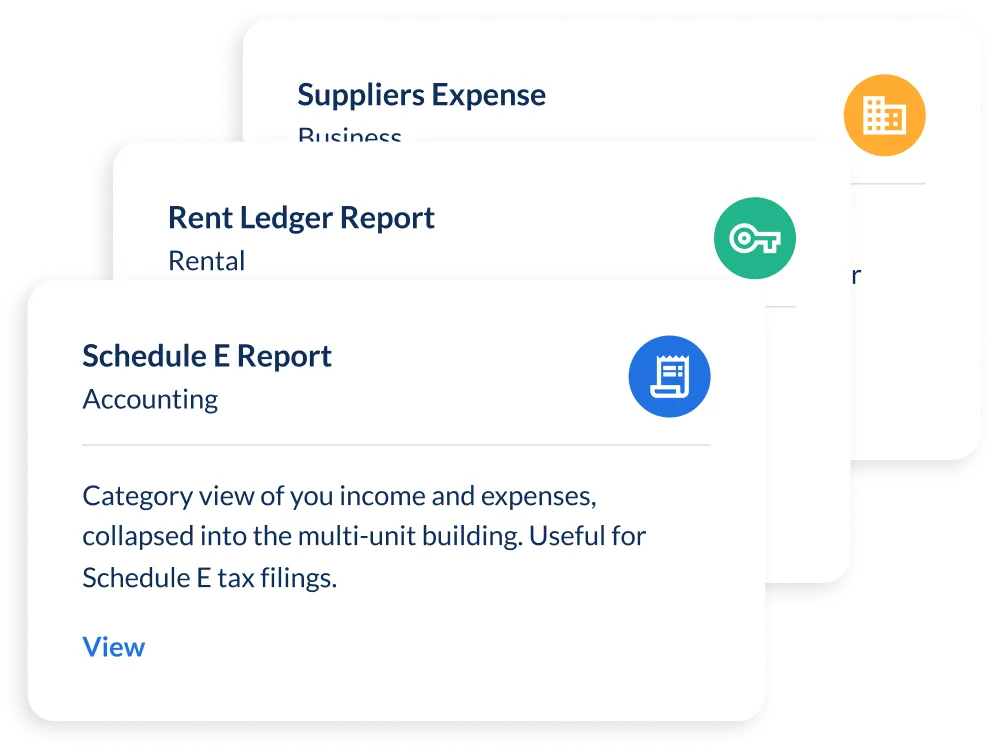
- Schedule E built in - download it with a click or share it straight with your accountant
- IRS-aligned categories - expenses sorted the way your tax return expects
- 1099 ready- the Supplier Expense Report totals what you've paid each contractor and supplier for the year
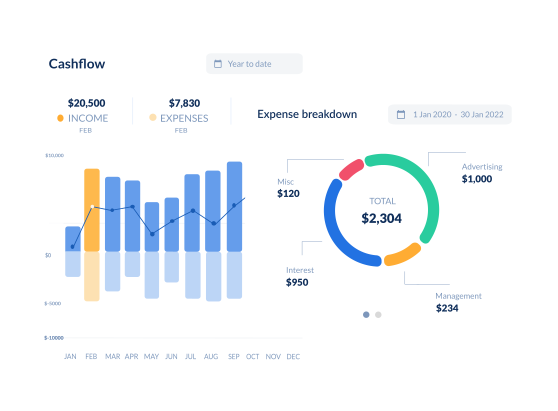
Cloud-based accounting tools
Stay on top of your rental property bookkeeping throughout the year.
- Bank feeds - fast expense reconciliation, straight from your bank
- Automated income tracking - rent and income recorded as it comes in
- Smart Receipt Scanner - snap a receipt and it's digitized and stored securely

See how every property is really performing
Know which rentals are earning their keep, and which aren't.
- Profit and loss by property - compare each rental side by side, or view the whole portfolio
- Income vs expenses - see where money comes in and where it leaks out
- Rent payment difference - spot the gap between what's due and what's actually paid
- Mileage and rent roll - every figure behind your returns in one place

Catch problems before they cost you
Reports that flag what needs attention, and export however you work.
- Overdue rent - see who's behind before it snowballs
- Lease expiry - plan renewals and avoid surprise vacancies
- Rent ledger - a full payment history for every tenant, ready if there's a dispute
- PDF or editable CSV - share polished reports, or pull advanced reports into a spreadsheet
Give your accountant peace of mind
Give your accountant access to your financial data and make sure your books are error free.
- Accountant access - share your financial data directly, no emailing files
- Easy sharing - send reports and documents to property owners and business partners
- Sync with Xero - all your financial data synced automatically, no double-handling

Get tax-time ready in minutes, not weekends
Stay compliant, organized, and ready for anything, whether you manage your properties solo or with a property manager.
- Instantly generate accountant-approved financial reports including our specially designed Schedule E report
- Real-time income and expense tracking
- Scan receipts, connect bank accounts to reconcile transactions, and automate mileage tracking
- Instantly generate any of our tax reports including the Profit and Loss as CSV or PDF files




"Managing 20 rentals alone was overwhelming, but Landlord Studio became my one-stop shop. It simplified bookkeeping, rent, leases, and taxes — even my CPA loves it."

"I found Landlord Studio so much easier to understand after I looked at AppFolio, RentRedi, and Buildium. All three of them were so hard to understand."

"It has been an excellent way of tracking expenses all in one app. I had considered using AppFolio, but that was too complicated for me."

“I looked at Doorloop, RentRedi, and Appfolio and they all offer the same features, but the customer support was the absolute best on Landlord Studio.”

"I can't highly recommend it more if you have a rental property. It exceeded my expectations."

"I've been a user for about three years now. I recommend Landlord Studio for anyone looking to optimize their business."

"I chose Landlord Studio because it created a complete package for management of rental properties for the landlord"

"I realized that QuickBooks wasn't quite sufficient and I started to look around for an affordable tool to replace my spreadsheets and chose Landlord Studio."

"We looked at all the different software that's out there for managing our properties. We chose Landlord Studio over RentRedi and it's been a great investment."

"One of the things that I like about the software is that the customer service is fantastic and I felt the price was reasonable considering I only have one property."

"I have a mix of properties, so I like how you can manage Airbnb and short-term rentals. Another great feature is reconciling from your bank account, which includes checking accounts and credit cards."

"Landlord Studio helps me manage my rentals effectively and efficiently. It's a great app and definitely worth the low cost."

"I tested out several other programs before purchasing Landlord Studio and I'm very happy with it so far. One of my favorite features is the ability to just snap a picture of a receipt and put it in the correct rental unit expense."

“My dad’s 75 and has over 20 units – Airbnbs, apartments and commercial. We needed a software to help us and Landlord Studio’s been the one. It’s made it so easy for him.”

“It’s a no-brainer. It’ll make your life so much easier. You can find out everything you need to know about your portfolio in a few quick taps.”

“With Landlord Studio I can track income and expenses and manage my properties if I’m at home, on my lunch break at work, in the car. There are so many things you can do with it.”

“It’s so much easier. Put it all in there, take a picture of your receipt and you’re done!”

“It’s excellent for any landlord with one property up to multiple. I highly recommend testing it out and seeing if it’s the right solution for you and your business – it has been for me.”

“I love having all the units accessible at my fingertips. And would highly recommend it to anybody who’s looking to get onboard with bank to bank transfers for rent payments and wanting to create customizable reports. I love it.”

“If you want an all in one solution this app is what you need. With this app you can get rid of paper and spreadsheets.”

“Give it a shot! That’s what I did. This app really organized how I manage my business made everything more efficient.”

“I was looking for a software that I was able to screen tenants on, collect rent through, track all of my income and expenses for each unit. And Landlord Studio fit the bill there. I’ve been using it for a few months and love it. The customer support is just unrivaled.”

“The mobile app is incredible, and when it comes to tax time, clicking a few buttons and sharing with our tax advisor has been a dream. Thanks Landlord Studio!”
"Managing 20 rentals alone was overwhelming, but Landlord Studio became my one-stop shop. It simplified bookkeeping, rent, leases, and taxes — even my CPA loves it."
"I found Landlord Studio so much easier to understand after I looked at AppFolio, RentRedi, and Buildium. All three of them were so hard to understand."
"It has been an excellent way of tracking expenses all in one app. I had considered using AppFolio, but that was too complicated for me."
“I looked at Doorloop, RentRedi, and Appfolio and they all offer the same features, but the customer support was the absolute best on Landlord Studio.”
"I can't highly recommend it more if you have a rental property. It exceeded my expectations."
"I've been a user for about three years now. I recommend Landlord Studio for anyone looking to optimize their business."
"I chose Landlord Studio because it created a complete package for management of rental properties for the landlord"
"I realized that QuickBooks wasn't quite sufficient and I started to look around for an affordable tool to replace my spreadsheets and chose Landlord Studio."
"We looked at all the different software that's out there for managing our properties. We chose Landlord Studio over RentRedi and it's been a great investment."
"One of the things that I like about the software is that the customer service is fantastic and I felt the price was reasonable considering I only have one property."
"I have a mix of properties, so I like how you can manage Airbnb and short-term rentals. Another great feature is reconciling from your bank account, which includes checking accounts and credit cards."
"Landlord Studio helps me manage my rentals effectively and efficiently. It's a great app and definitely worth the low cost."
"I tested out several other programs before purchasing Landlord Studio and I'm very happy with it so far. One of my favorite features is the ability to just snap a picture of a receipt and put it in the correct rental unit expense."
“My dad’s 75 and has over 20 units – Airbnbs, apartments and commercial. We needed a software to help us and Landlord Studio’s been the one. It’s made it so easy for him.”
“It’s a no-brainer. It’ll make your life so much easier. You can find out everything you need to know about your portfolio in a few quick taps.”
“With Landlord Studio I can track income and expenses and manage my properties if I’m at home, on my lunch break at work, in the car. There are so many things you can do with it.”
“It’s so much easier. Put it all in there, take a picture of your receipt and you’re done!”
“It’s excellent for any landlord with one property up to multiple. I highly recommend testing it out and seeing if it’s the right solution for you and your business – it has been for me.”
“I love having all the units accessible at my fingertips. And would highly recommend it to anybody who’s looking to get onboard with bank to bank transfers for rent payments and wanting to create customizable reports. I love it.”
“If you want an all in one solution this app is what you need. With this app you can get rid of paper and spreadsheets.”
“Give it a shot! That’s what I did. This app really organized how I manage my business made everything more efficient.”
“I was looking for a software that I was able to screen tenants on, collect rent through, track all of my income and expenses for each unit. And Landlord Studio fit the bill there. I’ve been using it for a few months and love it. The customer support is just unrivaled.”
“The mobile app is incredible, and when it comes to tax time, clicking a few buttons and sharing with our tax advisor has been a dream. Thanks Landlord Studio!”
"Managing 20 rentals alone was overwhelming, but Landlord Studio became my one-stop shop. It simplified bookkeeping, rent, leases, and taxes — even my CPA loves it."
"I found Landlord Studio so much easier to understand after I looked at AppFolio, RentRedi, and Buildium. All three of them were so hard to understand."
"It has been an excellent way of tracking expenses all in one app. I had considered using AppFolio, but that was too complicated for me."
“I looked at Doorloop, RentRedi, and Appfolio and they all offer the same features, but the customer support was the absolute best on Landlord Studio.”
"I can't highly recommend it more if you have a rental property. It exceeded my expectations."
"I've been a user for about three years now. I recommend Landlord Studio for anyone looking to optimize their business."
"I chose Landlord Studio because it created a complete package for management of rental properties for the landlord"
"I realized that QuickBooks wasn't quite sufficient and I started to look around for an affordable tool to replace my spreadsheets and chose Landlord Studio."
"We looked at all the different software that's out there for managing our properties. We chose Landlord Studio over RentRedi and it's been a great investment."
"One of the things that I like about the software is that the customer service is fantastic and I felt the price was reasonable considering I only have one property."
"I have a mix of properties, so I like how you can manage Airbnb and short-term rentals. Another great feature is reconciling from your bank account, which includes checking accounts and credit cards."
"Landlord Studio helps me manage my rentals effectively and efficiently. It's a great app and definitely worth the low cost."
"I tested out several other programs before purchasing Landlord Studio and I'm very happy with it so far. One of my favorite features is the ability to just snap a picture of a receipt and put it in the correct rental unit expense."
“My dad’s 75 and has over 20 units – Airbnbs, apartments and commercial. We needed a software to help us and Landlord Studio’s been the one. It’s made it so easy for him.”
“It’s a no-brainer. It’ll make your life so much easier. You can find out everything you need to know about your portfolio in a few quick taps.”
“With Landlord Studio I can track income and expenses and manage my properties if I’m at home, on my lunch break at work, in the car. There are so many things you can do with it.”
“It’s so much easier. Put it all in there, take a picture of your receipt and you’re done!”
“It’s excellent for any landlord with one property up to multiple. I highly recommend testing it out and seeing if it’s the right solution for you and your business – it has been for me.”
“I love having all the units accessible at my fingertips. And would highly recommend it to anybody who’s looking to get onboard with bank to bank transfers for rent payments and wanting to create customizable reports. I love it.”
“If you want an all in one solution this app is what you need. With this app you can get rid of paper and spreadsheets.”
“Give it a shot! That’s what I did. This app really organized how I manage my business made everything more efficient.”
“I was looking for a software that I was able to screen tenants on, collect rent through, track all of my income and expenses for each unit. And Landlord Studio fit the bill there. I’ve been using it for a few months and love it. The customer support is just unrivaled.”
“The mobile app is incredible, and when it comes to tax time, clicking a few buttons and sharing with our tax advisor has been a dream. Thanks Landlord Studio!”
Related Resources

Rental Property Tax Deductions: 2026 Guide + Checklist
Learn which rental property expenses are tax deductible in 2026 and use our checklist to track expenses, mileage, depreciation and tax records.
.jpg)
How to Report Rental Income on Your Tax Return: Complete 2026 Guide
Reporting rental income on Schedule E in 2026 - what counts as income, which expenses are deductible, and how to avoid an IRS audit.

Landlord Tax Documents: Everything You Need To Know For Tax Season
To help you streamline your tax season we’ve put together this guide outlining the main landlord tax documents you need to know about.
.png)
Tax Deduction Secrets for Landlords
Self-managing landlords leave thousands in deductions unclaimed. Learn what qualifies, how to document it, and where repairs end and improvements begin.
FAQs
Does Landlord Studio have a Schedule E report?

Yes. On the Pro plan, the Schedule E report groups your income and expenses by category to mirror the Schedule E section of IRS Form 1040, so at tax time you can copy the figures across or share the report with your accountant.
How does the Landlord Studio Smart Receipt Scanner work?
This feature allows you to snap a picture of a receipt using your phone. Landlord Studio reads the receipts and inputs the details for you, and at the same time, saves the digitized receipt safely to our secure cloud server so you can access it any time. Learn more about how to use the scanner.
Can I generate a report for my 1099s?
Yes. The Supplier Expense Report shows which contractors and suppliers you paid over the tax year and how much. Use those totals to complete your 1099s: 1099-NEC for contractors paid for services, and 1099-MISC for other payments such as rent. For payments made in 2026, a 1099 is generally needed when you pay $2,000 or more in the course of a trade or business (IRS Instructions for Forms 1099-MISC and 1099-NEC). Read our guide to IRS Form 1099 for landlords.
What tax reports does Landlord Studio include?
Every plan includes the Income Expense Statement, a profit and loss report covering all your income and expenses for any time period. On Pro you also get the Schedule E report, Breakdown Statement, Profit/Loss Summary, Mileage Report, Supplier Expense Report, rent ledgers and more. You can filter every report by property, unit, and income or expense category.
Can my accountant access my reports?
Yes. Invite your accountant and they get view-only access to your data, so they can review your books and help you prepare for tax time without you emailing files back and forth.
Can I export my reports as PDF or CSV?
On the Go plan you can export reports as PDF. On Pro you can download them as PDF or CSV, so you can pull the figures into a spreadsheet or email them to business partners and lenders.
How do I claim mileage for my rental properties?
Log your trips in Landlord Studio as you go, then run the Mileage Report at tax time. It totals the miles you recorded over the tax year for the properties you select, so you can claim your business mileage deduction accurately.