




Property maintenance management software for landlords
Property maintenance management doesn’t have to be a hassle. Record and prioritize tasks, track maintenance progress, and easily communicate updates with tenants using Landlord Studio.

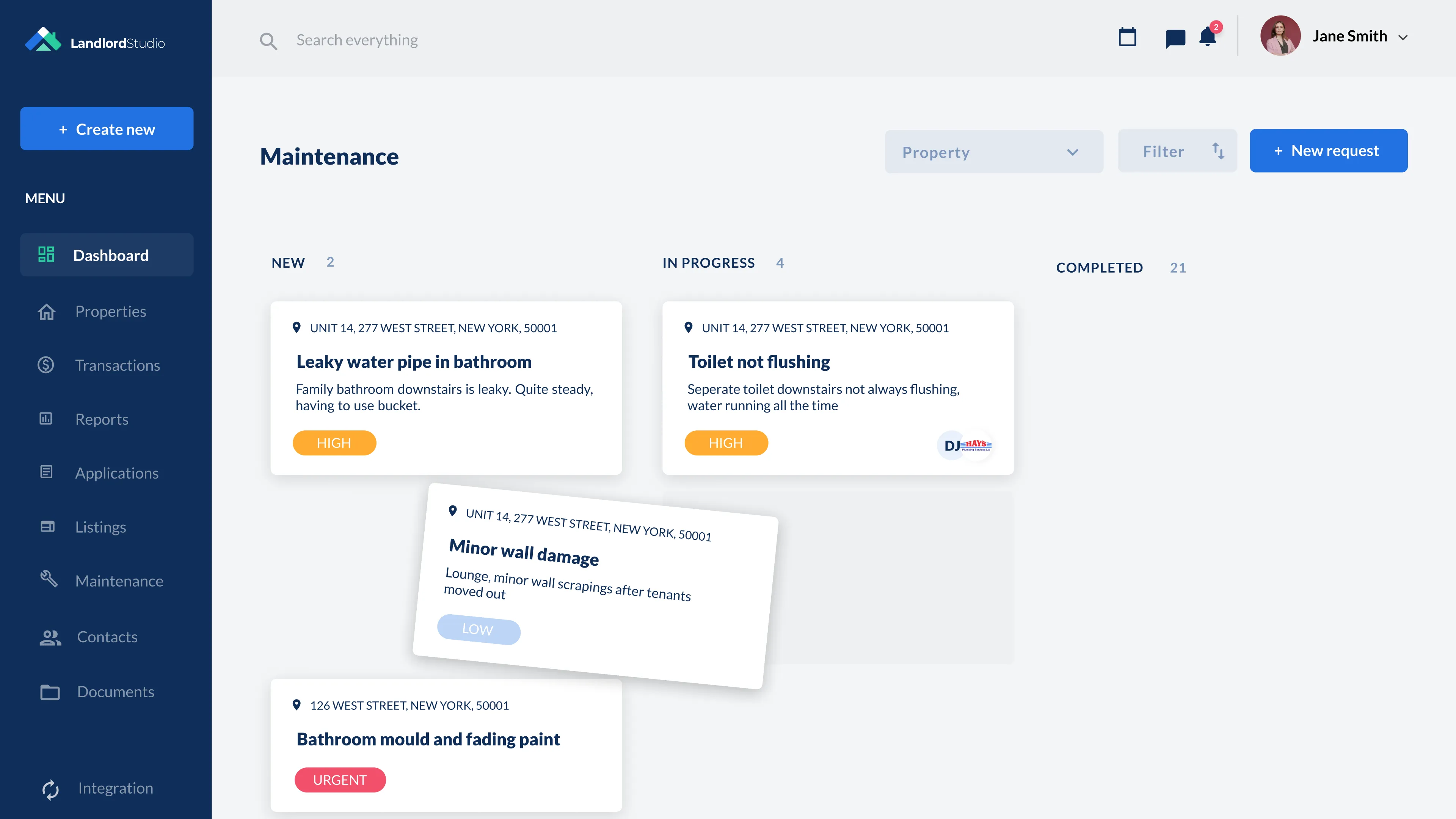

Take control of your property maintenance
Late repairs and missed inspections put your rental business at risk.Designed for landlords, Landlord Studio helps you schedule recurring inspections, track and prioritize maintenance jobs, and meet legal obligations, so nothing falls through the cracks.
Streamline Maintenance Requests & Job Tracking
Save time and reduce stress with an organized, centralized property maintenance system.
- Create and track new maintenance tasks from start to finish
- Let tenants raise requests directly through the tenant portal
- Prioritize jobs (Low/Medium/High) and monitor progress in real time
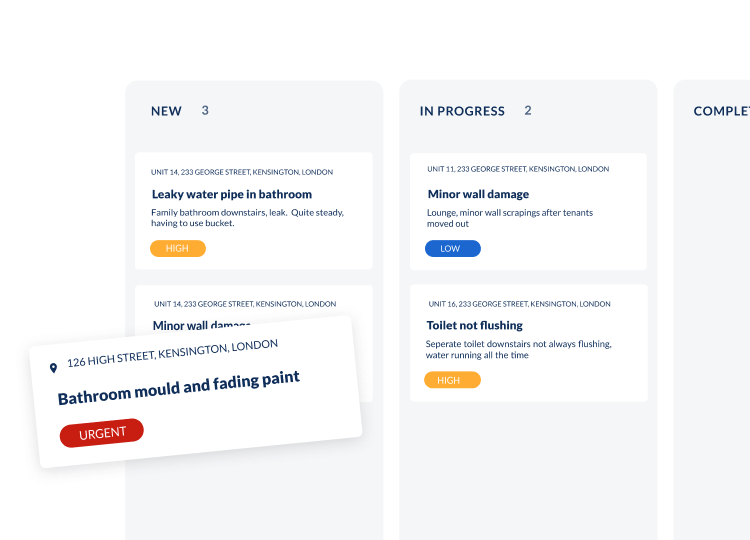
Communicate Clearly and Consistently
Keep tenants informed and reduce back-and-forth.
- Customize email/SMS templates for routine updates and reminders
- Add internal notes to tenant and property profiles for clear team coordination
- Centralize tenant contact details for when you need them

Never Miss an Important Maintenance Date Again
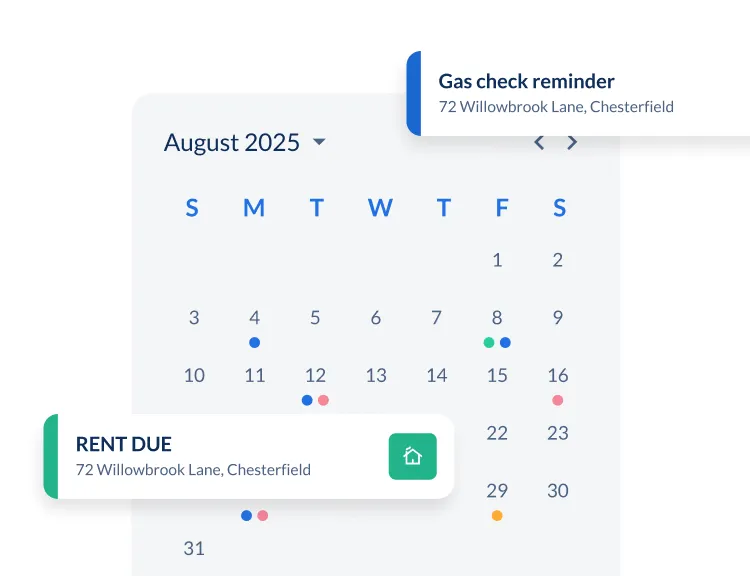
Stay ahead of inspections, servicing, and follow-ups with smart reminders.
- Schedule one-off or recurring alerts for all property tasks
- Use the calendar view to plan ahead and manage your workload
- Avoid fines, delays, and tenant disputes with proactive tracking
Why USA landlords love Landlord Studio property maintenance software
Stay compliant, organized, and in control of your property maintenance with landlord software designed for you.
- Set reminders for legal checks like insurance and state specific checks.
- Let tenants report maintenance issues through a secure online portal
- Store certificates and inspection records in one place
- Track open tasks and prioritize work with alerts and a clear visual dashboard




“Never used software before and was worried, but Landlord Studio has been brilliant. Easy to add properties, simple to use — even my accountant loves it.”

"Managing 20 rentals alone was overwhelming, but Landlord Studio became my one-stop shop. It simplified bookkeeping, rent, leases, and taxes — even my CPA loves it."

"Landlord Studio makes property management effortless – tracks rent, expenses & tenant comms. Great for 1 or many properties, my accountant loves it too.”

"We were looking for an app to help us stay on top of everything, including the maintenance and everything in between. Landlord Studio has been great for that."

"I found Landlord Studio so much easier to understand after I looked at AppFolio, RentRedi, and Buildium. All three of them were so hard to understand."

"It has been an excellent way of tracking expenses all in one app. I had considered using AppFolio, but that was too complicated for me."

“I looked at Doorloop, RentRedi, and Appfolio and they all offer the same features, but the customer support was the absolute best on Landlord Studio.”

"I have chosen a Landlord Studio after going through several tools online. It's also reasonably priced which I like."

"The ability to reconcile bank feeds and attach a receipt against a list of suppliers is a great feature."

"I can't highly recommend it more if you have a rental property. It exceeded my expectations."

"I've been a user for about three years now. I recommend Landlord Studio for anyone looking to optimize their business."

"I struggled with having a spreadsheet for each property. Using Landlord Studio I can record income/expense and then within seconds produce a spreadsheet that I can send to my accountant"

"I chose Landlord Studio because it created a complete package for management of rental properties for the landlord"

"I realized that QuickBooks wasn't quite sufficient and I started to look around for an affordable tool to replace my spreadsheets and chose Landlord Studio."

"We chose Landlord Studio because it was simple to use for keeping our rent receipts and tax records. We found it was brilliant."

"We looked at all the different software that's out there for managing our properties. We chose Landlord Studio over RentRedi and it's been a great investment."

"One of the things that I like about the software is that the customer service is fantastic and I felt the price was reasonable considering I only have one property."

"I considered Landlordy and a couple of others. I used Landlord Studio for a year with three properties and I loved it, so I had to get the membership."

"We couldn't live as freely and easily without Landlord Studio. All my tenants are quite happy they get their notifications from Landlord Studio. It's dead easy."

"I have a mix of properties, so I like how you can manage Airbnb and short-term rentals. Another great feature is reconciling from your bank account, which includes checking accounts and credit cards."

"Landlord Studio helps me manage my rentals effectively and efficiently. It's a great app and definitely worth the low cost."

"I tested out several other programs before purchasing Landlord Studio and I'm very happy with it so far. One of my favorite features is the ability to just snap a picture of a receipt and put it in the correct rental unit expense."

"I've got six properties and have looked around for a decent software for ages. What I really like about Landlord Studio is that it integrates with Xero. I've been using it for a few months and I'm really happy with it."

"I chose Landlord Studio because of the user-friendliness of the interface. It's a bit like Apple in that it's easy to use. You can figure it out without instructions or spending ages learning."

“My dad’s 75 and has over 20 units – Airbnbs, apartments and commercial. We needed a software to help us and Landlord Studio’s been the one. It’s made it so easy for him.”

“It’s a no-brainer. It’ll make your life so much easier. You can find out everything you need to know about your portfolio in a few quick taps.”

“With Landlord Studio I can track income and expenses and manage my properties if I’m at home, on my lunch break at work, in the car. There are so many things you can do with it.”

“It’s so much easier. Put it all in there, take a picture of your receipt and you’re done!”

“It’s excellent for any landlord with one property up to multiple. I highly recommend testing it out and seeing if it’s the right solution for you and your business – it has been for me.”

“I love having all the units accessible at my fingertips. And would highly recommend it to anybody who’s looking to get onboard with bank to bank transfers for rent payments and wanting to create customizable reports. I love it.”

“If you want an all in one solution this app is what you need. With this app you can get rid of paper and spreadsheets.”

“Give it a shot! That’s what I did. This app really organized how I manage my business made everything more efficient.”

“I was looking for a software that I was able to screen tenants on, collect rent through, track all of my income and expenses for each unit. And Landlord Studio fit the bill there. I’ve been using it for a few months and love it. The customer support is just unrivaled.”

“The mobile app is incredible, and when it comes to tax time, clicking a few buttons and sharing with our tax advisor has been a dream. Thanks Landlord Studio!”
Related Resources


.webp)
FAQs
How does Landlord Studio help landlords manage property maintenance tasks effectively?

Landlord Studio provides an intuitive work-order management system that enables landlords to record, prioritize, and monitor maintenance jobs—all from one platform. Whether it’s uploading photos, adding detailed descriptions, or linking tasks to specific properties, nothing gets lost. Plus, the ability to set reminders ensures routine checks and repairs are handled promptly and efficiently.
Can tenants submit maintenance requests directly through Landlord Studio?
Yes—you can streamline tenant communication by allowing tenants to submit maintenance requests via a secure tenant portal. Requests are automatically organized in the dashboard, giving you a clear and efficient workflow to review, prioritize, and action repair tasks.
How does Landlord Studio support financial tracking of maintenance costs?
Maintenance-related expenses can be seamlessly managed with Landlord Studio's accounting tools. You can log job costs, run maintenance expense breakdowns, and link expenditure directly to specific properties, helping you maintain accurate financial records—vital for budgeting and tax reporting.
Can I communicate updates to tenants and contractors within the platform?
Absolutely. Landlord Studio provides tailored communication tools—allowing you to send updates via email or SMS, add internal notes for property or tenant coordination, and export professional-generation PDF job sheets (including descriptions and photos) to share with contractors.

Tenant Screening Report
Get fast financial insights with Landlord Studio's powerful reporting including a schedule e report, profit and loss statement, and rent ledger.

Rental accounting
Track income and expenses, gain financial insights with our financial reports, and make tax time a breeze.

Tax Reporting
Get fast financial insights with Landlord Studio's powerful reporting including a schedule e report, profit and loss statement, and rent ledger.

Online Rent Collection
Collect rent online, automate income tracking, and never worry about late rent again with secure online rent payments made direct to your bank account.

E-Sign Leases Online
Send and sign leases online with secure e-signatures. Save time, stay compliant, and manage tenancy documents in one place.