




IRR Calculator
Work out the internal rate of return on a rental property. Enter what you put in, the cash flow it earns each year and what you sell it for, and see the annual return that ties them all together.

How to manually calculate IRR
IRR is the discount rate that sets the net present value of every cash flow, including the initial investment, to zero. There's no way to solve for it directly, so it's found by trial and error - which is what the calculator above does for you.
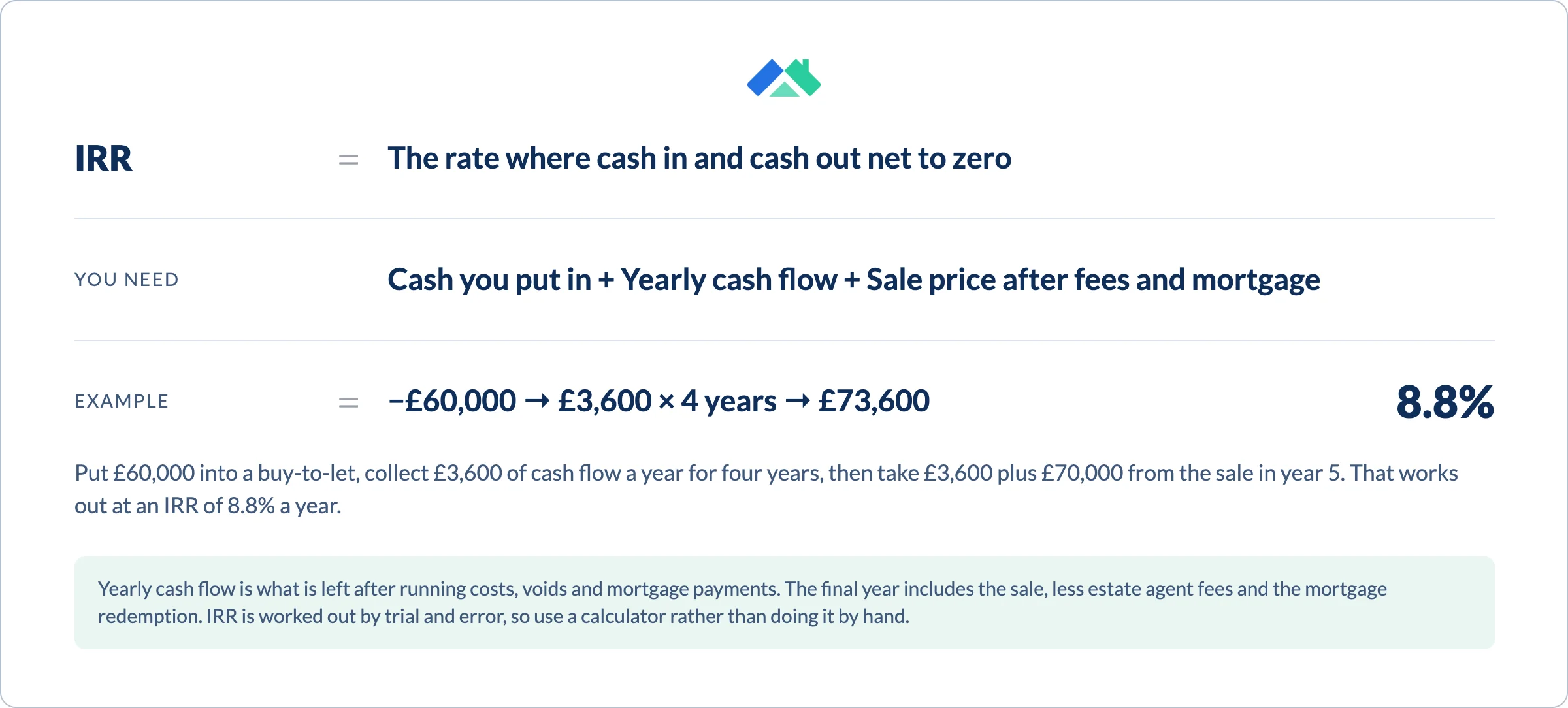
List every cash flow
Start with the purchase as a negative number, add each year's net cash flow after expenses, and add the sale proceeds to the final year.
Discount each one at a trial rate
Divide each cash flow by (1 + r) raised to the year it arrives, then add them up to get the net present value.
Adjust the rate until NPV hits zero
If NPV is positive, try a higher rate. If it's negative, go lower. The rate where it lands on zero is the IRR.
Worked example
A rental bought for $300,000 in cash that earns $15,000 a year in net cash flow and sells for $350,000 after five years.
Cash flows = −$300,000 today, $15,000 in years 1 to 4, and $365,000 in year 5
NPV at 7% = +$11,048. NPV at 8% = −$1,905
IRR = 7.8%, the rate between the two where NPV is zero
The rent alone returns 5% a year. The $50,000 gain on sale lifts the IRR to 7.8%. Sell at the purchase price and the IRR falls back to 5%.

Other calculators you might be interested in

Cap Rate Calculator
Turn your NOI into a cap rate to compare properties before financing.

Rental Yield Calculator
Gross and net yield, cash flow and cash-on-cash return on a rental property.

BRRRR Investment Calculator
Model a buy, rehab, rent, refinance and repeat deal from purchase to cash-out.

Manage up to 3 rental properties for free!
Sign up and get PRO free for 14 days. When the trial ends, keep tracking rent, expenses and reports for up to 3 properties, free forever with Landlord Studio GO.
By continuing you agree to our Terms & Conditions. · Already have an account? Log in
What IRR tells you
IRR Calculator
A dollar today is worth more than a dollar in ten years. IRR discounts every future cash flow back to today, so a deal that pays out early scores higher than one that makes you wait for the sale - even when the totals match. That makes it a fair way to compare properties with different cash flow patterns.
It's only as good as your forecast
IRR assumes steady rent, no surprise vacancies or major repairs, and that you can reinvest each year's cash flow at the same rate. Real property rarely behaves that neatly, so run a cautious case alongside your best case and compare the two.

Why should you use our IRR calculator?
- Turns the purchase, yearly cash flow and sale into one annual return
- Accounts for the time value of money, unlike cap rate or yield
- Compares deals with different hold periods on a level footing
- Shows how much of your return comes from the sale versus the rent
- Free, fast and no sign-up
FAQs
What is internal rate of return (IRR)?

IRR is the annual rate of return that makes the net present value of all an investment's cash flows equal to zero. In plain terms, it's the yearly return you earn on each dollar invested over the whole holding period, counting the purchase, the rent you collect and the sale. Because it accounts for when each dollar arrives, it suits long-term investments like rental property.
What is a good IRR for a rental property?
There is no single benchmark. A good IRR is one that beats your hurdle rate - the return you could earn elsewhere for similar risk, plus enough to cover the extra work and risk of owning property. Riskier deals, like value-add projects or heavily leveraged purchases, should promise a higher IRR than a stabilized rental bought for cash.
How is IRR different from cap rate and cash-on-cash return?
Cap rate and cash-on-cash return measure a single year. IRR covers the whole holding period, including appreciation and the sale, and weights each cash flow by when it arrives. That makes it better for comparing deals with different hold periods or uneven cash flows, but it relies on more forecasting. Use our cap rate calculator and rental yield calculator for the single-year view.
What are the limitations of IRR?
IRR assumes your projections hold, with steady rent and no surprise vacancies or major repairs, so it can look optimistic. It also assumes interim cash flows can be reinvested at the same rate as the IRR itself, which is rarely realistic. Use it alongside cap rate, cash-on-cash return and a cash flow forecast rather than on its own.
How do I calculate IRR in Excel?
List your cash flows in a column, starting with the initial investment as a negative number, then each year's net cash flow, with the sale proceeds added to the final year. Enter =IRR(range) to get the rate. If cash flows land on irregular dates, use =XIRR(values, dates) instead.