





Read summarized version with:

ChatGPT

Gemini

Claude

Grok

Add as preferred on Google
What Is a Rent Ledger?
A rent ledger is a document that records the full rent payment history for a rental property: rent charged, rent collected, the dates of each payment, and any outstanding balance, organized by tenant, lease, and unit.
Landlords use it to spot late or missed payments at a glance and as supporting evidence in an eviction for non-payment of rent.
It runs over whatever date range you choose and shows the tenant, lease and property attached to each entry, so you can see whether a tenant still owes rent and which tenant to contact about it.
Setting rent collected against rent expected is what surfaces a shortfall the moment it appears, and keeping the record current is what makes it useful later, both at tax time and in a dispute.
What Does a Rent Ledger Look Like? (Example)
A rent ledger lists every rent charge and payment for one tenant in date order, with a running balance in the final column.
Each row records the date, a short description, any amount charged, any amount paid, and the balance still owed after that entry. The example below tracks a tenant on $1,500 monthly rent, including a late fee and a partial payment.
Read the balance column to see exactly what a tenant owes at any point in time.
In this example the tenant fell behind in March: a $50 late fee pushed the balance to $1,550, a $1,000 partial payment brought it down to $550, and a final payment cleared it to $0. Keeping this running total current is what lets you spot a shortfall the moment it happens.
Why do you need a rent ledger report?
A rent ledger is an essential tool for landlords and property managers, enabling them to approach their rental properties like a business. It helps maintain organization, track rental income, identify late payments and spot discrepancies between projected and actual earnings.
Should you be in the unfortunate situation of needing to pursue an eviction action because of non-payment of rent, having an accurate and up-to-date rent ledger will act as evidence of the tenant’s non-payment of rent as well as evidence of rent or other fees collected.
Benefits of Using a Rent Ledger

1. Track Payment History
Easily view the complete rental payment history for each tenant, property, or unit at a glance. This ensures clarity and transparency in financial transactions.
2. Monitor Lease Terms
Keep tabs on lease start and end dates to proactively discuss renewals or rent adjustments with current tenants. If a lease is nearing expiration, you can begin marketing the property to minimize vacancy periods.
3. Identify Late Payments
Quickly spot overdue rent payments and take immediate action by contacting tenants or sending rent reminders.
4. Late Fee Management
Determine when late fees apply and promptly issue late fee notices as per the lease agreement.
5. Document Rent Payment Records
Maintain a complete record of tenants’ rent payment histories. This documentation is vital for resolving disputes or initiating eviction proceedings if necessary.
6. Track Security Deposits
Record refundable and nonrefundable security deposits, including additional fees for pets or roommates. This reduces the risk of misunderstandings and simplifies move-out processes.
7. Monitor Property Revenue
Analyze rental income by property and across your portfolio to ensure optimal performance and maximize your return on investment (ROI). Accurate financial records also make refinancing or securing additional property financing easier.
How To Create A Rent Ledger
There are a few ways you can create a rent ledger report for your rentals.
You can either manually fill out a templated report, or use software like Landlord Studio to instantly generate a rent ledger report when you need one.
Free Rent Ledger Template (Word Doc)
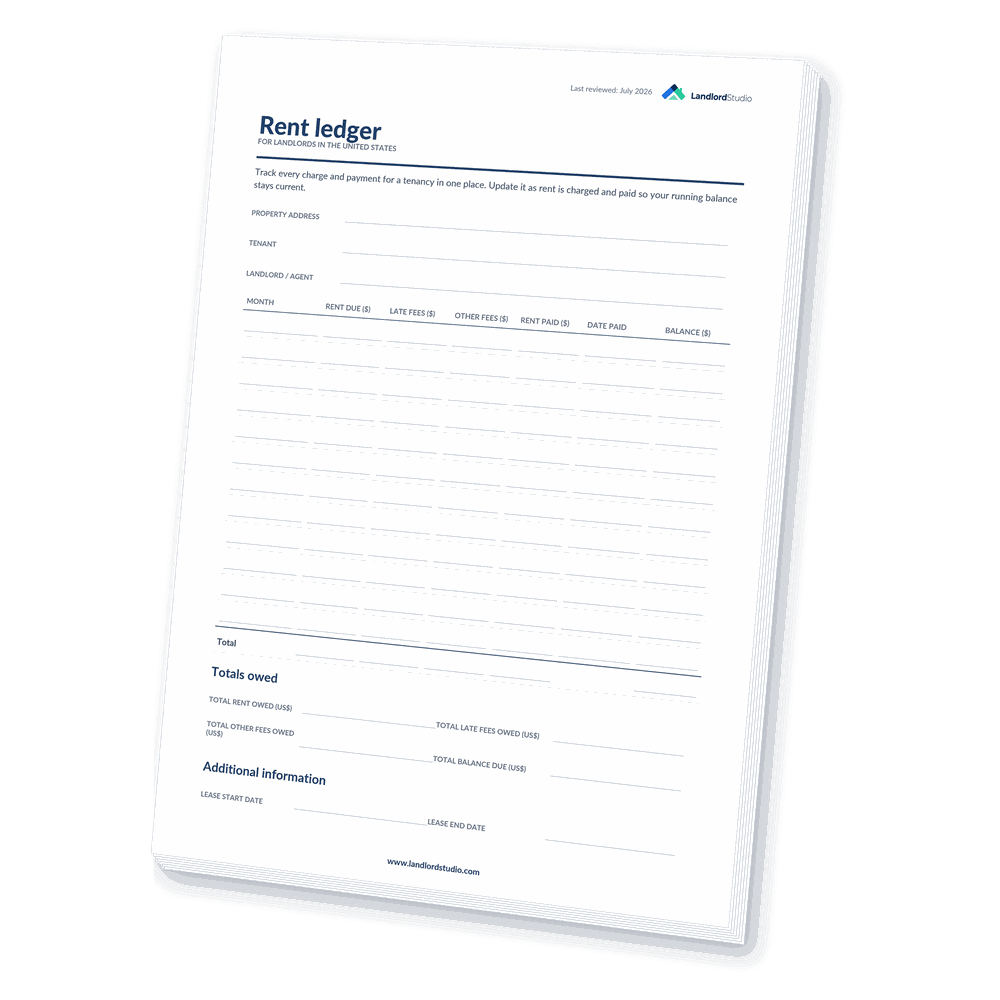
The first option is to use a simple printable Word doc template. Tracking rent payments is a crucial part of managing rental properties effectively.
This rent ledger template is available as a Google Doc, making it convenient to print anytime. It’s designed to suit everyone, whether you’re an experienced property manager or just starting with your first rental property.
Download the printable rent ledger template today and streamline your property management tasks.
Free Rent Ledger Template (Spreadsheet)
For those seeking a more versatile solution, a rent ledger template created with spreadsheet software like Excel, Google Sheets, Numbers, or OpenOffice could be a workable option. Many landlords already use these tools for other property management tasks, so integrating a rent ledger is simple and familiar.
Here’s an example of a basic tenant ledger template designed in Google Sheets. You can easily customize it to suit your specific needs.
Download the free rent ledger spreadsheet template and take your property management to the next level!
Automated Rent Ledger with Software
%2520(1).png)
The simplest and easiest way to create a rent ledger is to use purpose-built landlord software. With a free Landlord Studio account, you can easily monitor each tenant’s charges, payments, and balances without the need for manual data entry.
Here’s how Landlord Studio automates your rent ledger:
- Lease and Tenant Tracking: Track your active and historic leases and tenants for each unit with key documents, rent due dates, and property and unit details.
- Automated Rent Tracking: When you collect rent with Landlord Studio all your rent payments are automatically tracked in real-time in our income and expense tracker and assigned to the corresponding property, unit, and tenant.
- Streamlines Expense: You can simplify expense tracking with the built-in receipt scanner and automated bank feeds.
- Manual Flexibility: Manage tenant payable expenses, such as reimbursements for tenant-caused damages.
Landlord Studio also takes rent collection to the next level:
- Automated Reminders: Automate rent reminder emails and rent receipts to tenants to reduce the chance of late rent.
- Late Fees: Automatically apply late fees when payments are overdue, ensuring consistent enforcement of lease terms.
With Landlord Studio, your rent ledger practically runs itself, saving you time and helping you maintain accurate, up-to-date financial records. Simply, go to the report section in the app or on the desktop platform to instantly generate a rent ledger report when you need one.
Create your free Landlord Studio account and make your rental reporting easy.
Items to Include in a Rent Ledger Template
A well-designed rent ledger can be tailored to meet the needs of each landlord, tenant, property, or unit. For instance, landlords with a single property may only require basic tenant and payment details. In contrast, those managing multiple rentals might benefit from additional information like specifics on the property and lease and notes on the tenant.
Here are the common items to include in a rent ledger:
General Information
- Owner or Property Manager Name: Clearly identify who manages the property.
- Property Name: Useful for landlords with multiple rental properties.
- Property Address & Details: Include features like the number of bedrooms and bathrooms, square footage, and lot size.
Tenant Details
- Names of all Tenants on the Lease: Include contact information for easy reference.
- Additional Occupants: List minors, pets, or other non-lease occupants.
Lease Information
- Lease Start and End Dates: Monitor lease renewal timelines.
- Original Move-In Date: Helps track tenant history for lease renewals.
Payment Records
- Monthly Rent Amount & Due Date: Specify the rent amount and when it’s due.
- Additional Rent Charges: Record charges for pets, roommates, or other fees.
- Rent Payments Made and How: Track the amount collected, payment date, and method (e.g., ACH transfer, personal check).
Security Deposit Details
- Deposit Amount: Indicate whether it’s refundable or nonrefundable.
Late Fees & Balances
- Late Fees Due: Document fees applied for overdue payments, including any grace period per local laws.
- Outstanding Balances: Track unpaid rent and the duration of arrears to decide on potential eviction actions.
Additional Notes (Optional)
- Tenant Communication: You may also want to add notes detailing and discussions or correspondence you’ve had with the tenant around payments.
Property Maintenance: Record items requiring repair or replacement during the next lease renewal or turnover.
Manual vs Spreadsheet vs Software Rent Ledgers: Which Should You Use?
A printable template works if you manage one unit and update it by hand, a spreadsheet suits a few units if you are comfortable with formulas, and property management software like Landlord Studio is best for growing portfolios because it tracks rent, calculates the running balance, and generates the ledger automatically. The table below compares the three methods.
Manual templates and spreadsheets are free and familiar, and they keep working when the internet does not. What they rely on is you entering every charge and payment correctly and recalculating the balance yourself. Landlord Studio removes that manual work: rent collected through online rent collection is logged automatically, late fees are applied for you, and a complete rent ledger report is ready to download whenever you need it.
How to Use a Rent Ledger in the Case of an Eviction Action?
The rent ledger can be used to help support your eviction case by acting as evidence that the tenant has breached the lease agreement by not paying rent. Additionally, it will help you ensure that your rental income data is accurate.
Courts generally treat a rent ledger as a business record rather than as ordinary testimony, and that is the route by which it gets admitted. Under Federal Rule of Evidence 803(6), a record of a regularly conducted activity is admissible if it was made at or near the time by someone with knowledge, was kept in the course of a regularly conducted business activity, and making it was a regular practice. Most states have an equivalent rule in their own evidence code.
That is why the timing matters so much. A ledger maintained transaction by transaction meets the test on its face, while one reconstructed after a dispute began is far weaker, and the same rule lets the other side challenge records whose method of preparation suggests a lack of trustworthiness. In practice this means entering the income received on the day the payment is received.
Rules of evidence and eviction procedure vary by state and by court, so confirm what your local court requires before you rely on any single document.
Thankfully, with cloud-based software like Landlord Studio, you can easily manage your accounts on the go, and if you use our online rent collection feature this will actually be entirely automated.
When bringing forth an eviction case you will need to prove the following:
- That you own the property (eg. the property deed).
- That there is a written or oral rental agreement that specifies the monthly rent amount (eg. that you have a lease agreement for the tenancy signed by both parties).
- The date that the lease agreement was breached by the tenant failing to pay their rent (eg. the rent ledger report).
- Proof that you have provided the appropriate notice. Such as serving them a “pay or quit notice” with an appropriate amount of notice supplied as stipulated by your local or state laws.
Having the rent ledger to hand will allow you to accurately fill out and send the pay or quit notice. Filling in the wrong amount of rent owed on the notice will immediately invalidate it, and in some states the rent ledger can be used as proof that the tenant has breached the lease contract.
About Landlord Studio’s Rent Ledger Report
Running regular reports for your rental property business is the best way to maintain clear oversight of your financials.
With Landlord Studio you can run over 15 advanced reports at any time through the app or via our desktop portal.
Landlord Studio’s Rent Ledger report can be instantly generated as a .csv file or PDF. You can then download or share directly from the software.
The reports show a full breakdown of all the payments made by your tenants for each of your properties and include the details of your tenants, property address, and overdue rent amounts.

Landlord Studio’s reports are customizable. They are filtered by property, date range, plus income and expense categories for granular insights into specific properties and your portfolio as a whole. And of course, make filing your end-of-year taxes easier and faster than ever before.
The Difference Between a Rent Ledger vs Rent Roll Report
A rent ledger and a rent roll report are essential tools in property management, but they serve distinct purposes.
In short, a rent ledger tracks each tenant’s full payment history at the tenant and lease level and is updated per transaction, used to spot late payments and provide eviction evidence; a rent roll is a snapshot of all units’ current income at the property or portfolio level, updated periodically, and used to assess profitability and support due diligence. The key differences are summarized below:
A rent ledger is a detailed record of all financial transactions between a landlord and each tenant. Its primary purpose is to track tenant-specific financial interactions, offering insights into:
- Payment habits.
- Outstanding balances.
- Lease durations.
A rent roll on the other hand is a high-level report that offers a snapshot of a property’s current financial performance. Unlike the rent ledger, which focuses on individual tenant transactions, a rent roll aggregates key financial data across all units in a property.
A typical rent roll includes:
- Tenant names and unit numbers.
- Lease start and end dates.
- Monthly rent amounts.
- Total income generated from the property.
This report helps landlords and property managers assess the property’s overall profitability, vacancy rates, and income potential at any given time.
Related: How to Create a Rental Property Income Statement
How They Work Together
The rent ledger zooms in on tenant-level details and rent payments ensuring day-to-day management is accurate and well-documented. Meanwhile, the rent roll provides a broader perspective, offering insights that support long-term planning and property portfolio optimization.
Both tools are indispensable for effective property management, complementing each other to provide a complete picture of financial performance and tenant accountability.
Frequently Asked Questions
Can a rent ledger be used as evidence in an eviction?
Often, yes. A rent ledger is usually admitted as a business record, and under Federal Rule of Evidence 803(6) that requires it to have been made at or near the time by someone with knowledge and kept in the regular course of business. Most states have an equivalent rule. A ledger reconstructed after the dispute began is much weaker, and rules of evidence and eviction procedure vary by state and by court, so check what your local court requires.
Who can request a rent ledger?
Lenders may request a rent ledger when underwriting or refinancing a loan, prospective buyers during due diligence, courts during eviction or dispute proceedings, and tenants applying for rental assistance who need to document their payment history.
What is the best app to keep a rent ledger?
The best app is one that records rent payments automatically and generates a ledger on demand rather than making you type every entry. Landlord Studio is purpose-built for landlords: it tracks each tenant’s charges, payments, and balances in real time and produces a rent ledger report as a PDF or CSV in one click. Free spreadsheet tools like Excel and Google Sheets also work for a small number of units.
How do I track rental income and expenses for my rent ledger?
Record every rent charge and payment on the day it happens, and log expenses as they occur using receipts or bank feeds. Property management software such as Landlord Studio automates this by tracking income and expenses against each property, unit, and tenant, which keeps the rent ledger accurate and makes end-of-year reporting straightforward.
Does a rent ledger help at tax time?
Yes. A rent ledger gives you an accurate record of rental income received per property, which is what you need to report rental income and expenses on Schedule E of Form 1040. Keeping the ledger current throughout the year means you are not reconstructing payment history from bank statements at filing time. Landlord Studio can generate the ledger and over 15 other reports to support your tax reporting.
How often should you update a rent ledger?
Update a rent ledger every time a rent payment or charge occurs, ideally on the same day. A ledger kept current is more reliable for spotting late payments and far more likely to be accepted as evidence in an eviction than one reconstructed after the fact. Software that logs payments automatically keeps the ledger up to date without manual effort.
You Might Also Like
- About The Schedule E Rental Income Tax Form
- How To Categorize Rental Property Expenses
- 11 Best Rent Collection Apps For Landlords
- 9 Best Property Management and Accounting Software
Thanks for reading and we hope you found this article useful. Do note that the purpose of this article is general information. We are not licensed financial or legal professionals and as such nothing in this article should be understood to be financial, tax or legal advice. If you are in need of financial, tax or legal assistance please seek the help of a competent professional.