




Read summarized version with:

ChatGPT

Gemini

Claude

Grok

Add as preferred on Google
The best way to collect rent from tenants is online, through rent collection software that takes ACH bank payments straight into your bank account. Set the payment method and due date in the lease, turn on recurring payments, and remind tenants before rent is due. Every payment is recorded automatically, which makes tracking and tax time simpler.
Traditional methods of rent collection like cash and checks are slow and insecure and make everyone’s lives harder. They increase the likelihood of late and missed payments for landlords and the risk of late fees and evictions for tenants.
So, while some tenants are resistant to new technology, in today's modern age, there really are no good reasons for someone not to make their life (and yours) easier by using an online payment solution.
This means it's time to embrace online rent collection! Treat your rental like a business to make rent collection easier for everyone involved.
How Do You Collect Rent From Tenants?
Most landlords follow the same five steps, whichever payment method they choose.
- Put the rent terms in the lease. State the rent amount, the due date, any grace period, the late fee, and the payment methods you accept. Some states set a minimum grace period or cap late fees, so check your state’s rules first.
- Choose how tenants will pay. Online rent collection software is the simplest option for most landlords, because payments go straight to your bank account and leave a record. Keep checks or money orders as a backup for tenants who can’t pay online, and avoid cash.
- Set up autopay and reminders. Invite each tenant to pay online and ask them to set up recurring payments. Send a reminder a few days before rent is due, and repeat the payment instructions in a welcome email or letter when a tenant moves in.
- Record every payment. Match each payment to the right property and tenant as it arrives, so you always know who has paid and your income records are ready at tax time.
- Follow up on late or partial rent. If rent is late, contact the tenant and apply your late fee as the lease sets out. Be careful with partial payments: in some states, accepting part of the rent can delay or reset an eviction. See what to do when the rent is late.
What Are the Different Ways to Collect Rent?
There are three main ways landlords collect rent, and they are not equally safe or convenient.
1. By mail: Tenants mail a check or money order. It’s simple, but checks can arrive late, go missing or bounce, which can cause cash flow problems or late fees charged in error.
2. In person: You collect a check or cash from the tenant. This only works if you live nearby. Cash is the riskiest option: it can be lost or stolen, and there’s no record unless you write one, so always give the tenant a signed receipt.
3. Online payments: This includes ACH bank transfers, card payments and payment apps. It’s usually the fastest and most secure option, with deposits made directly into your bank account.
Why Is Online the Best Way to Collect Rent?
So, what is the best way to collect rent? The most secure and most convenient way for your tenants to pay their rent is electronically. Payments can be made using a mobile device and will be delivered directly into your account.
Online solutions provide:
- Speed & Security: Funds transfer directly into your bank account, usually within a few business days.
- Automation: Recurring payments, late-fee enforcement, and automated reminders reduce manual tracking. See how automatic rent payments work.
- Transparency & Records: Clear transaction histories protect both landlords and tenants in case of disputes.
In contrast, traditional methods like cash and checks increase the risk of misplaced payments, lost revenue, and disputes.
Online payments have downsides too. Some services charge a fee on each payment, and not every state lets you pass a convenience fee on to tenants, so check your state’s rules first. Card payments can be disputed and reversed. And some payment methods can’t stop a tenant from sending only part of the rent.
How do you collect rent from tenants online? Ideally, you will use a purpose built software with low fees. You should look for a software that allows you to block partial payments, automate late fees, and integrates with accounting tools so you can easily track your income in real-time. To compare software side by side, see our guide to the best rent collection apps.
To help you start your search, we have outlined the main ways to collect rent online below.
What Are the Best Ways to Collect Rent Online?
1. Rent collection software: Landlord Studio
Use Landlord Studio to Collect Rent Online for free!
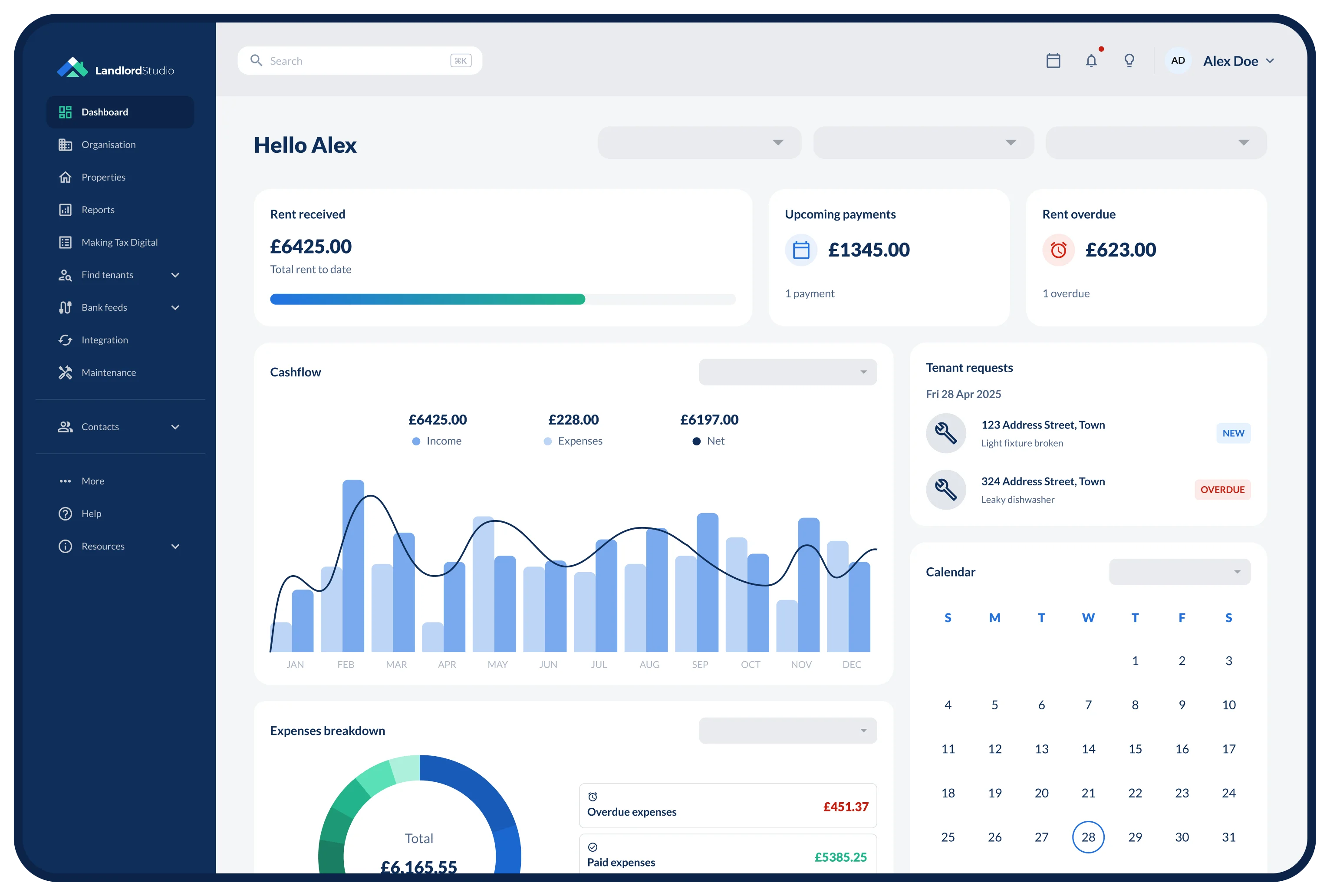
Landlord Studio is property management and accounting software with built-in online rent collection designed for landlords. Tenants pay through the tenant portal or app, and each payment is recorded against the right property and tenant, ready for your income and expense reports.
- Payment methods: ACH bank debit or credit card, through a tenant portal and app.
- Fees: $2.50 per ACH transaction, which you can pay or pass to the tenant. Card payments carry a 3.49% fee paid by the tenant.
- Automation: Recurring rent payments, automated rent reminders and late fees (reminders are on the Pro plan), and payments reconciled into your accounting.

Pros of using Landlord Studio to collect rent:
- Each payment is posted to the right property and tenant automatically.
- Live tracking of payments in progress, plus the option to block partial payments.
- Includes accounting, tenant screening, listings and maintenance in the same app.
Cons of using Landlord Studio to collect rent:
- ACH payments take 3 to 5 business days to arrive.
- A $2.50 ACH fee, which you can pay or pass to the tenant.

2. Payment apps: Zelle, Venmo, PayPal and Apple Cash
Many landlords start with an app they already use. These apps are quick to set up, but they were built for paying friends, not for running a rental.
- Zelle moves money between US bank accounts in minutes, with no fee, through most banking apps. Payments usually can’t be reversed, and you get no rent records beyond your bank statement.
- Venmo pays into your Venmo balance, not your bank account. Personal accounts aren’t meant for business payments, and business profiles charge a fee on each payment.
- PayPal will likely need a business account for rent, which charges a fee to receive payments, and PayPal often sides with the payer in a dispute.
- Apple Cash works only between Apple devices, through Messages or Wallet.
The common drawbacks are no link to the lease or the property, personal and rental money mixed in one account, transfer limits, and weak records if there’s a dispute.
3. ACH transfers and online bill pay
An ACH transfer moves money directly between US bank accounts. Tenants can send rent through their bank’s online bill pay, or you can debit their account with their written authorization through a payment provider or rent collection software. ACH fees are low, but payments take a few business days to clear.
4. Credit and debit cards
Card payments can help a tenant who is short on cash one month. Processing fees, usually around 3%, are normally passed to the tenant, and card payments can be disputed after the fact. Rent collection software can take cards: in Landlord Studio, the card fee is 3.49%, paid by the tenant.
How Can You Help Tenants Set Up Online Rent Payments?
Some tenants, such as older renters or tenants with disabilities, may need help to pay online. Keep your policy firm, but make it easy for everyone to pay.
- Create step-by-step instructions: This only needs to be created once and then given out to tenants when they each move in. It should be a clear and concise step by step guide to paying rent the way that you expect them to pay rent. Leave no room for error on their part.
- Available assistance: Make sure your tenant has the payment provider’s customer support details handy. For example, if you want them to use Zelle, include their customer helpline phone number and website address so that they can ask questions.
- An introductory email: Email them the provider’s set-up guide, with videos if possible. Each of these companies has extensive resources to help their customers use their products.
- Accommodate protected tenants: If you have a tenant that is disabled or elderly, see that they have a family member responsible for the payments. Be sure to contact them to help them set up their payment system and establish your expectations clearly.
Find out more about Online Rent Collection with Landlord Studio →
How Do You Choose the Best Rent Collection Method?
- Assess Your Portfolio Size & Location: U.S. landlords with multiple units often gravitate toward specialized property management software (e.g., Landlord Studio, Buildium, AppFolio) to streamline accounting and automate processes.
- Consider Tenant Demographics & Tech Savviness: If you have elderly or disabled tenants, provide a printable, step-by-step guide (with screenshots) for online setup. Offer in-person assistance or designate a family member for help
- Factor in Transaction Fees & Speed: Decide whether you’re willing to absorb ACH or platform fees, or pass them to tenants. (Most platforms allow you to charge fees to tenants.)
- Review Legal & Lease Requirements: Check your state’s rules on late fees and grace periods before you set them in the lease.
Final Words: Collecting Rent Online
Switching to an online rent collection system is no longer optional—it’s essential for reducing late payments, improving tenant satisfaction, and simplifying accounting. To recap:
- Evaluate your portfolio (size, location, tenant demographics).
- Compare tools—weigh fees, speed, automation, and regional compatibility (see the comparison above).
- Revise your lease to clearly outline accepted payment methods, due dates, and late fees.
- Provide setup instructions (digital or printed) for tenants who need assistance.
- Monitor payment dashboards weekly and follow up promptly on failed payments.
For most U.S. landlords, using Landlord Studio (or similar software) and offering one or two alternate options for less tech savvy tenants strikes the right balance of security, automation, and tenant convenience.
Create your free account with Landlord Studio today to streamline your rent collection, automate your income tracking, and dramatically reduce late and missed payments.
Related Articles
- Why Landlords Are Choosing Landlord Studio Over Cozy For Rent Collection
- 13 Best Rent Collection Apps For Landlords (2026)
- The Landlord’s Guide to Automatic Rent Payments
- Setting Rent: How Much Should I Charge for Rent?
- 5 Steps To Take When The Rent Is Late
Best Way To Collect Rent FAQs
What is the safest method to collect rent?
Most people agree that the safest way to collect rent from a tenant is through a purpose-built online payment software like Landlord Studio. This is because it gives them a record of the transaction, proof of payment, that can be used should a dispute arise. This record of payment is useful for landlords as well for analyzing their income and reporting for tax time.
Can I collect rent via Zelle or Venmo?
Yes. Both Zelle and Venmo can be used for rent, however, they lack certain landlord-specific features such as invoicing, partial-payment blocking, and receipt generation. Zelle offers instant, free bank-to-bank transfers if both parties’ banks support it. Venmo is easy to use, but personal accounts aren’t meant for business payments, and business profiles charge a fee on each payment.
What is the most secure way to pay rent?
Using rent collection apps is the most secure method to transmit rent payments. As with direct deposit, tenants can arrange automatic payments, ensuring a consistent withdrawal of funds at a set time every month, transfers are easily traceable, and deposited directly into the landlords bank account (no chance of them getting lost or stolen en route).
What fees can I expect for online rent collection?
How much online rent payments cost depends on the platform you use. For ACH transfers in the U.S., banks may charge $0.50–$5 per ACH transaction; whilst third-party platforms charge $2–$4 per transaction. Peer-to-peer platforms like Zelle and Venmo might be cheaper, but business use can come with extra fees and account limits. In Landlord Studio, an ACH payment costs $2.50, which you can pay or pass to the tenant, and card payments carry a 3.49% fee paid by the tenant.
How do landlords usually collect rent?
Many landlords now collect rent online, by ACH bank transfer through rent collection software, with checks or money orders as a backup. Payment apps such as Zelle are common with small landlords, but they give fewer protections and records.
Is the rent you collect taxable income?
Yes. In the US, rent is taxable income and is reported on Schedule E of Form 1040. Advance rent counts as income in the year you receive it. A security deposit isn’t income unless you keep it, for example to cover unpaid rent or damage.