



★★★★★ 4.9 stars from 10,000+ landlords
Import your accounting spreadsheet into Landlord Studio
Already tracking expenses in Excel or Google Sheets? Upload a CSV and bring your expense history into Landlord Studio in minutes, with no retyping, then run reports straight away.

Automatically import expense data into Landlord Studio
Purpose-built accounting for US rental property
How the spreadsheet import works
Save your expenses as a CSV and match them to Landlord Studio’s categories, which follow IRS Schedule E and are fully editable.
Then map your columns in the import wizard. You can import during setup or any time later from a property’s Expenses section.
Most apps let you export transactions as a CSV, so you can import your history the same way if you're already using software.


Step 1: Format your spreadsheet
One file per property, with Payment Date, Amount and Category columns.”

Step 2: Upload and map your columns
Log in or create a free account, open the property and choose Import from CSV. The wizard flags any rows that need fixing.

Step 3: Review and report
Check your imported expenses, then run income statements and tax-time reports in a click.

4.9 stars from 1,000+ reviews

Kirk S
Texas, USA

"I realized that QuickBooks wasn't quite sufficient and I started to look around for an affordable tool to replace my spreadsheets and chose Landlord Studio."
Watch Video
Keith M
Ohio, USA
“My dad’s 75 and has over 20 units – Airbnbs, apartments and commercial. We needed a software to help us and Landlord Studio’s been the one. It’s made it so easy for him.”
Watch Video
Kelly W
Chicago, USA
"I tested out several other programs before purchasing Landlord Studio and I'm very happy with it so far. One of my favorite features is the ability to just snap a picture of a receipt and put it in the correct rental unit expense."
Watch Video
Leanne F
Tallahassee, USA
"Managing 20 rentals alone was overwhelming, but Landlord Studio became my one-stop shop. It simplified bookkeeping, rent, leases, and taxes — even my CPA loves it."
Watch Video
Rinda I
North Carolina, USA
"I found Landlord Studio so much easier to understand after I looked at AppFolio, RentRedi, and Buildium. All three of them were so hard to understand."
Watch Video
Elizabeth R
Colorado, USA
"It has been an excellent way of tracking expenses all in one app. I had considered using AppFolio, but that was too complicated for me."
Watch Video
Steven M
Nashville, USA
“I looked at Doorloop, RentRedi, and Appfolio and they all offer the same features, but the customer support was the absolute best on Landlord Studio.”
Watch Video
Rich C
Portsmouth, USA
"I can't highly recommend it more if you have a rental property. It exceeded my expectations."
Watch Video
Derek G
Hawaii, USA
"I've been a user for about three years now. I recommend Landlord Studio for anyone looking to optimize their business."
Watch Video
Kris N
Oregon, USA
"I chose Landlord Studio because it created a complete package for management of rental properties for the landlord"
Watch Video
Chad V
Wisconsin, USA
"We looked at all the different software that's out there for managing our properties. We chose Landlord Studio over RentRedi and it's been a great investment."
Watch Video
William M
Nevada, USA
"One of the things that I like about the software is that the customer service is fantastic and I felt the price was reasonable considering I only have one property."
Watch VideoEnd to end property management software
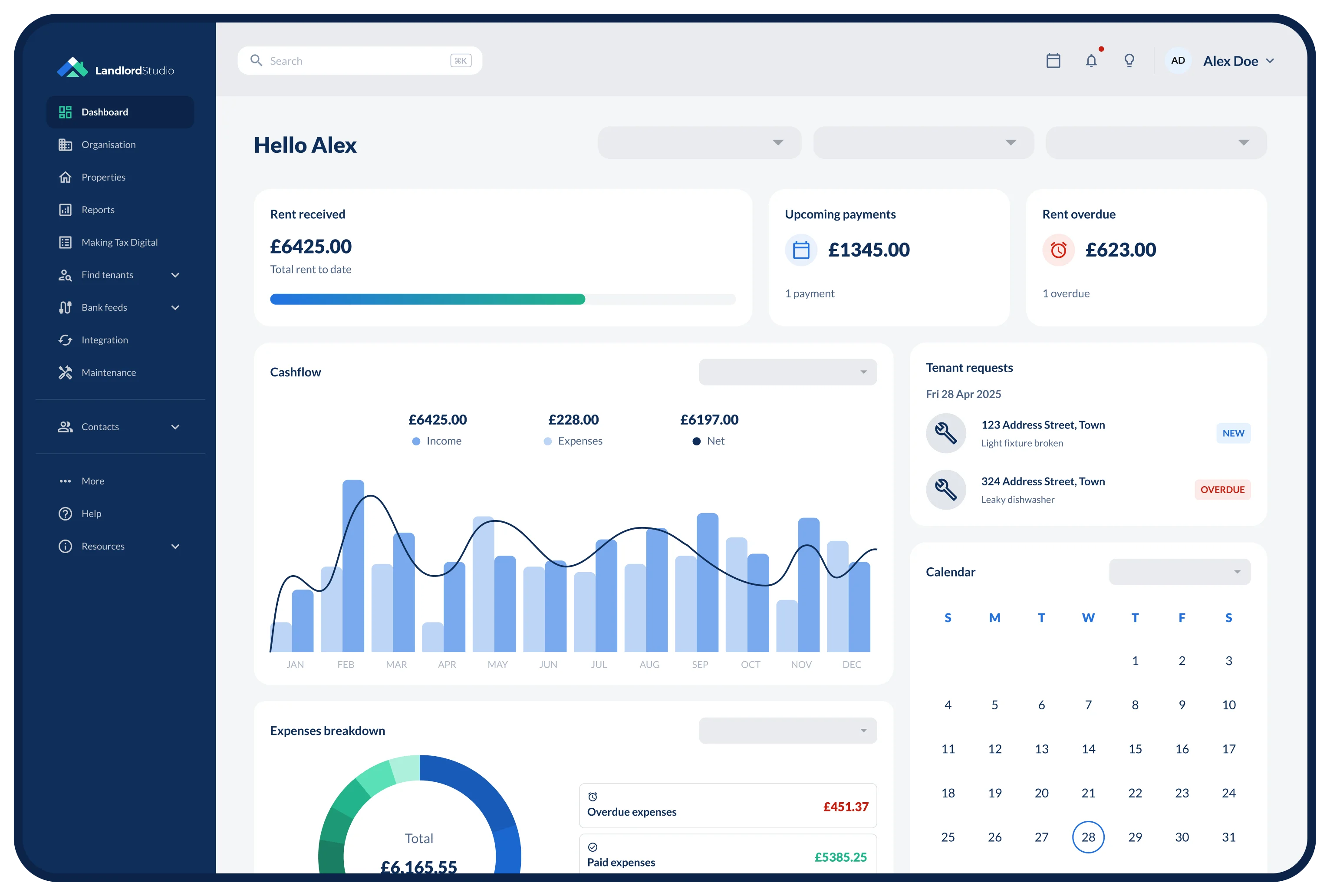
From finding tenants and collecting rent to managing maintenance requests, our suite of features will help you save time and run a professional and scalable property portfolio.
Find & Screen Tenants
Create your rental listing in minutes and share it across multiple sites with a single click to get more high-intent leads.

Collect Rent Online
Never worry about late rent again with fast and secure online rent payments made directly into your bank account.

Rental Accounting
Easier to use and cheaper than QuickBooks, Landlord Studio property accounting software is ready to replace your messy spreadsheets and piles of paper receipts.
Capture receipts on the go via the mobile app and automatically import bank transactions using smart Bank Feeds technology.

Tax Reporting
Stay on top of your finances with industry-specific reports and make filing your Schedule E easy.

Property Maintenance
Close maintenance requests faster with easy task management and prioritization.

Award winning property management software. Trusted by 80,000+ landlords and letting agents.


FAQs
What file types can I import?

The import wizard accepts CSV files only. If your expenses are in Excel or Google Sheets, use Save As (Excel) or File > Download (Google Sheets) and choose CSV.
Which columns does my spreadsheet need?
Payment Date, Amount and Category are required. You can also include Description, Supplier, Tenant payable and Capital expense. Your file can have up to 20 columns, and you map each one to a Landlord Studio field during the import.
Can I import rent or other income?
Not at the moment. The spreadsheet import is for expenses only. You can record income in Landlord Studio directly, or connect your bank feed to bring transactions in automatically.
Can I import several properties at once?
Each import is for one property, so use a separate CSV file for each property's expenses. You can run as many imports as you need.
How many expenses can I import in one file?
Up to 500 expenses per file, with a maximum file size of 5 MB. If you have more, split them across several files and import each one.
What if my expense categories don't match?
Categories need to match Landlord Studio's exactly. Our defaults follow IRS Schedule E, and you can edit or add categories before you import. Any rows that don't match are flagged, so you can fix your file and re-upload, or skip them and continue.