




%20(1).webp)
Read summarised version with:

ChatGPT

Gemini

Claude

Grok

Add as preferred on Google
Last updated: July 2026
Making Tax Digital for Income Tax (MTD for IT) is now live. Since 6 April 2026, UK landlords with gross income over £50,000 from property and self-employment combined must keep digital records and submit quarterly updates to HMRC using compatible software, replacing the annual Self Assessment return for that income.
Key takeaways
- Live since 6 April 2026 for landlords and sole traders with qualifying income over £50,000.
- Thresholds step down: £50,000 now, £30,000 from April 2027, £20,000 from April 2028.
- Quarterly updates replace the single annual return, finalised by a Final Declaration.
- HMRC-recognised software is required to keep digital records and submit to HMRC.
- Penalties follow a points-based system, with a £200 charge once you reach the threshold.
In April 2026, a major shift in tax administration took place with the implementation of Making Tax Digital for Income Tax (MTD for IT). This change is designed to modernise the way income tax is reported and managed for landlords and self-employed business owners.
As part of the broader MTD initiative, which has already begun affecting VAT-registered businesses, MTD for IT requires landlords to embrace digital record-keeping and submit quarterly updates to HMRC.
This guide to MTD for landlords will walk you through everything you need to know about MTD for IT, including its requirements, deadlines, and how to effectively comply with the changes.
What is Making Tax Digital (MTD) for Income Tax (IT)?
Making Tax Digital (MTD) is a government initiative aimed at modernising the UK tax system through digital technology. Its goal is to make tax administration more efficient, accurate, and accessible. MTD is being rolled out in phases, starting with VAT-registered businesses and now extending to Self Assessment filers with a specific focus on landlords and self-employed individuals.
MTD for IT represents the next significant step in this transformation. Under this scheme, landlords transition from traditional paper-based tax reporting to a fully digital process. This shift is designed to streamline tax updates, reduce errors, and ensure that all tax-related information is submitted in real-time, making it easier for HMRC to monitor and manage tax readiness.
Making Tax Digital for Income Tax Requirements
With MTD for IT now live, landlords face several requirements aimed at digitalising their tax affairs. These requirements include:
- Digital Record-Keeping: Landlords must maintain digital records of their income and expenses. This means moving away from manual bookkeeping methods or paper receipts and adopting digital tools to track financial transactions.
- Quarterly Updates: Instead of submitting an annual tax return, landlords provide quarterly updates on their income and expenses to HMRC. These updates are submitted through HMRC-recognised software.
- Final Declaration: The final step in the process involves submitting a Final Declaration at the end of the tax year. This declaration confirms the accuracy of the information provided throughout the year and finalises the tax liability.
By embracing these digital requirements, landlords contribute to a more streamlined and efficient tax system, while also benefiting from real-time financial insights and improved accuracy in their tax reporting.
The Easiest Way To Keep Digital Records
Landlord Studio is HMRC-recognised, MTD-compatible property management and accounting software for landlords that makes digital record-keeping simple.
Connect your bank accounts and reconcile transactions in real time, digitise receipts and update your accounts via the mobile app wherever you are. Plus, easily share reports, connect your account with your accountant, and use the Landlord Studio Xero integration to make digital tax filing easy.
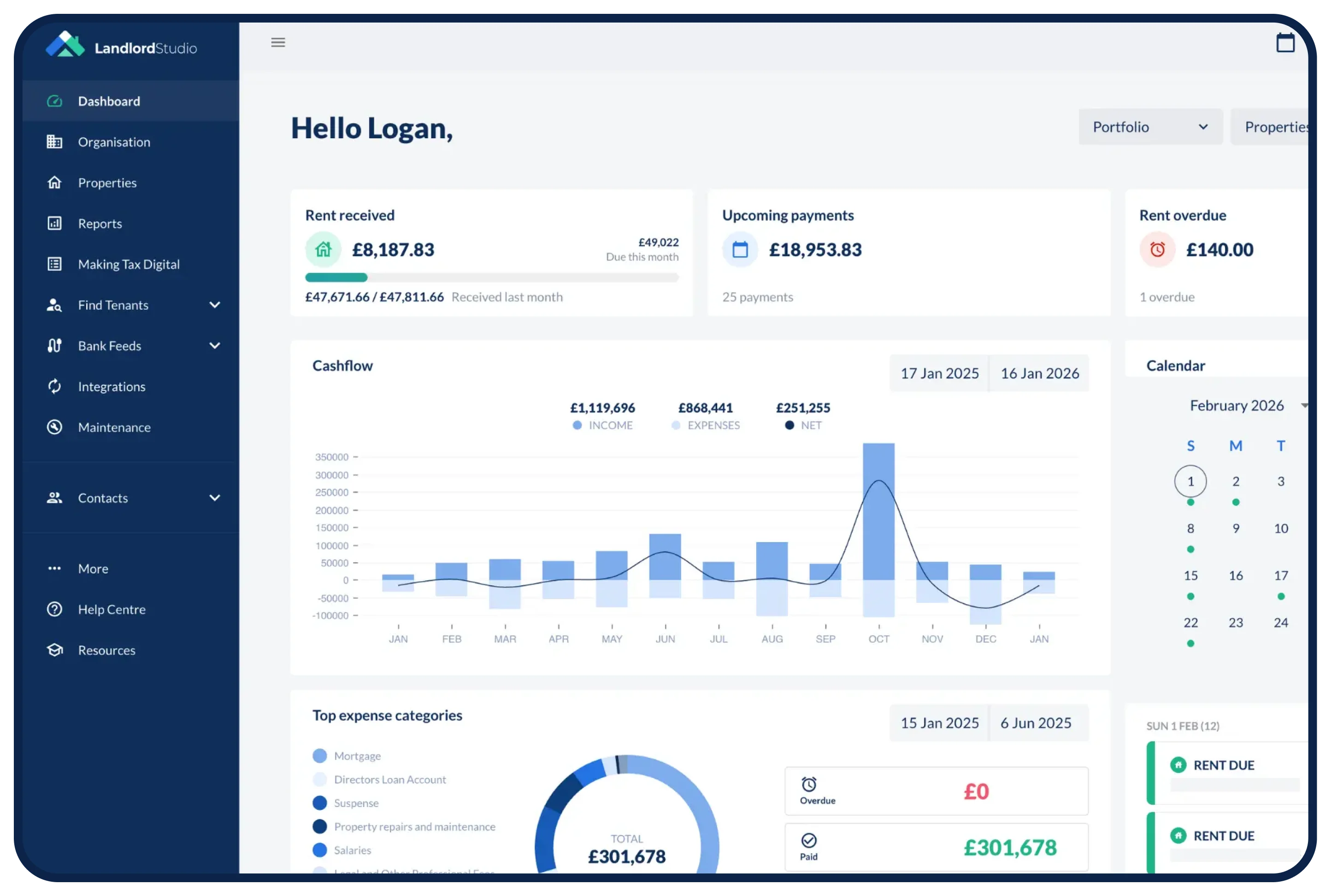
➡️ Bonus: Landlord Studio is directly integrated with HMRC for Making Tax Digital and easily allows you to make all your quarterly and end of year tax submissions from one place. See how it works on the HMRC-recognised MTD software for landlords page.
Create your free Landlord Studio account today and get ahead of the curve.
MTD For Landlords Current Status and Timeline
MTD for IT is live: it took effect on 6 April 2026 for landlords and sole traders with qualifying income over £50,000.
The original deadline for Making Tax Digital for Income Tax (MTD for IT) was set for 2024, but the implementation was delayed multiple times. It was ultimately phased in from April 2026 for income above £50,000, with the postponements giving landlords and businesses more time to adapt to the new requirements.
The transition to Making Tax Digital for Income Tax (MTD for IT) is occurring in stages, with specific deadlines based on income thresholds. The timeline for implementation is as follows:
- April 2026: Landlords and self-employed individuals with income exceeding £50,000 are required to comply with MTD for IT. The £50,000 figure is measured on qualifying income for the 2024/25 tax year.
- April 2027: The MTD requirements extend to landlords and self-employed individuals with income above £30,000.
- April 2028: The qualifying income threshold reduces to £20,000.
These staggered deadlines are designed to give landlords time to prepare for the changes and ensure a smoother transition to the new digital system.
What are the MTD quarterly update deadlines?
The standard quarterly update deadlines are fixed at 7 August, 7 November, 7 February and 7 May, with a Final Declaration due by 31 January. Each quarterly update covers a three-month period and is submitted through HMRC-recognised software. For the standard quarterly periods, the deadlines are:
| Quarter | Period covered | File by |
|---|---|---|
| Quarter 1 | 6 April to 5 July | 7 August |
| Quarter 2 | 6 July to 5 October | 7 November |
| Quarter 3 | 6 October to 5 January | 7 February |
| Quarter 4 | 6 January to 5 April | 7 May |
After the four quarterly updates, you submit a Final Declaration by 31 January following the end of the tax year. This replaces the annual Self Assessment return for income within MTD for IT and confirms your final tax position.
Are You MTD Ready? Download the Free MTD Prep Checklist
Confidence is high -94% of landlords say they're confident about Making Tax Digital, though only 35.6% describe themselves as very confident. But confidence isn't the same as readiness. Just one in three have gone digital. That's from our 2026 MTD Readiness Report, a survey of 500 UK landlords and letting agents.
.jpeg)
Who Will Be Affected by MTD?
MTD for IT applies to unincorporated landlords and sole traders whose combined gross property and self-employment income meets the threshold for the current stage — £50,000 now, falling to £30,000 in April 2027 and £20,000 in April 2028.
MTD for Landlords with £50,000+ Income
The primary group affected by Making Tax Digital for Income Tax (MTD for IT) includes landlords whose total income (from all income sources) exceeds £50,000 per year.
Since April 2026, these landlords have needed to comply with the new digital record-keeping and reporting requirements. This initial threshold targets higher-income landlords who typically manage more complex financial situations, requiring a more streamlined and accurate reporting system.
In April 2027, the scope expands to include landlords with income above £30,000.
You Might Also Like: Making Tax Digital FAQs
MTD for Landlords with Multiple Income Streams
Landlords who have multiple revenue sources need to ensure their accounting for each type of income meets MTD for IT requirements. The digital record-keeping requirements apply to all forms of income, including:
- Rental Income: Income from letting residential or commercial properties.
- Other Property Income: Income from property sales, licenses to occupy, or other related sources.
- Additional Self-Employment Income: If a landlord also runs a business or has self-employment income, this too falls under MTD regulations.
Each category of income must be recorded and reported accurately, with separate digital records maintained for each type of income stream.
What are three-line accounts for MTD?
Three-line accounts are a simplified way of reporting income: total income, total expenses and the resulting profit — three lines. Landlords with annual gross income below the VAT threshold can report their property income to HMRC using three-line accounts within MTD for IT, rather than itemising every expense category. This keeps quarterly updates lighter while still meeting digital record-keeping requirements.
Cash basis or traditional accounting for MTD?
Cash basis is the default for most unincorporated landlords under MTD for IT, recording income and expenses when money actually moves rather than when it is invoiced. Traditional (accruals) accounting instead records income and expenses when they are earned or incurred. The cash basis has been the default for property businesses since the 2017/18 tax year, and you must use accruals accounting if your annual property income (rental receipts) exceeds £150,000. Most landlords stay on the cash basis, but you can elect to use traditional accounting if it suits your circumstances — for example, a larger or more complex portfolio.
How does MTD work for jointly owned property?
For jointly owned property, each owner reports their own share of the income under MTD for IT and keeps their own digital records. Your qualifying income for the threshold test is based on your share of the gross rental income. Where ownership shares differ from the default 50/50 split for married couples and civil partners, a Form 17 election can be used to declare the actual beneficial ownership split with HMRC.
Landlords Already Complying with MTD for VAT
Landlords who are already familiar with Making Tax Digital for VAT will notice that MTD for IT introduces separate requirements.
- MTD for VAT: Requires VAT-registered businesses to submit VAT returns digitally and maintain digital records of VAT transactions.
- MTD for IT: Focuses on income tax, requiring digital record-keeping and quarterly updates on income and expenses.
Even if landlords are accustomed to MTD for VAT, they need to adapt to the specific requirements of MTD for IT, including the quarterly updates and Final Declaration.
Are You Ready for MTD? Take The Quiz
MTD for Landlords: Exemptions
Exemptions and Special Cases
Not all landlords are subject to MTD for IT. There are specific exemptions and special cases where MTD does not apply:
- REIT Shares: Income derived from Real Estate Investment Trusts (REITs) is not subject to MTD for IT.
- Limited Companies: Landlords operating through limited companies are not required to comply with MTD for IT, though they are not exempt from MTD for VAT requirements. Individual directors, depending on their situation, may need to file Self Assessment returns.
- Farming and Forestry Income: Certain types of income from farming and forestry may be exempt from MTD requirements.
Capital Gains Tax
Income from property sales, which falls under Capital Gains Tax (CGT), is treated differently from rental income under MTD for IT:
- CGT Reporting Requirements: Capital gains from property sales must be reported separately from rental income. Landlords need to ensure that any capital gains are accurately reported in their Self Assessment returns, but these do not fall under the quarterly MTD updates.
- CGT Compliance: While MTD for IT focuses on ongoing income and expenses, capital gains are typically reported annually. This means landlords should keep separate records of property sales and associated gains.
MTD for Landlords: Compliance Requirements
To comply with Making Tax Digital (MTD) for Income Tax (IT), landlords must use HMRC-recognised software. This software facilitates the digital submission of income and expense information, ensuring compliance with the new regulations. Here’s what you need to know:
Digital Record Keeping
Landlords need to use software to keep accurate up to date digital records throughout the year. These records must include:
- Income Records: Detailed logs of rental income received, including dates, amounts, and sources.
- Expense Records: Documentation of all business-related expenses, such as repairs, maintenance, and management fees. Each expense should be categorised appropriately to ensure accurate reporting.
- Supporting Documents: Digital copies of receipts, invoices, and bank statements that support the recorded income and expenses.
Landlords may need to adjust their accounting habits to ensure they are recording and storing financial data to meet these obligations effectively.
Related: Rental Property Expenses Checklist
Use HMRC-Recognised Software
To comply with MTD for Landlords, the software that investors use needs to integrate with HMRC. If you're using Landlord Studio, for example, to keep your digital records you can leverage the Xero integration to manage your quarterly submission.
When selecting software, landlords should look for features that support digital record-keeping such as a built-in receipt scanner and a mobile app so you can log expenses on the go.
The software should also have good reporting capabilities and allow you to generate quarterly updates and submit them to HMRC’s systems.
Related: Best Rental Property Accounting Software for Landlords in the UK
Submission Deadlines
Landlords need to adhere to a structured schedule for submissions under MTD for IT:
- Quarterly Updates: Landlords submit quarterly updates to HMRC after the end of each quarter. The standard quarters run 6 April to 5 July, 6 July to 5 October, 6 October to 5 January, and 6 January to 5 April, with fixed deadlines of 7 August, 7 November, 7 February and 7 May respectively.
- Final Declaration: The Final Declaration must be submitted by 31 January following the end of the tax year. For the tax year ending on 5 April, this means the Final Declaration is due by 31 January of the following year.
You Might Also Like: Understanding MTD Quarterly Updates
HMRC's New Penalties
How it works: Earn 1 point for each missed deadline (quarterly update or annual declaration).
Thresholds:
- Annual filers: 2 points → first £200 penalty
- Quarterly filers: 4 points → first £200 penalty
- Monthly filers: 5 points → first £200 penalty
- After the first charge: You stop earning points, but incur £200 for every further late submission.
First-year support: HMRC has confirmed it will not charge late-submission penalty points for missed quarterly updates during the first tax year (2026/27) for those mandated from 6 April 2026, giving new filers a soft landing while they adjust to quarterly reporting.
Overhauled Late‑Payment Penalties
First penalty:
- Triggered 30 days after the due date.
- Calculated as a fixed percentage of the unpaid tax.
Second penalty:
- Starts accruing daily from day 31 onward.
Avoiding penalties:
- Set up a “Time To Pay” arrangement within 15 days of the due date.
- Penalties are waived if the arrangement stays on track.
.jpeg)
Benefits of MTD for Landlords
Improved Accuracy
Traditional record-keeping methods like spreadsheets and paper are prone to human errors, such as data entry mistakes or misinterpretation of tax rules. Digital record-keeping mitigates these risks by automating calculations and reducing the chance of errors.
Time-Saving
Automation features such as income and expense tracking, invoice management, and tax calculations save time that would otherwise be spent on manual bookkeeping. This efficiency allows landlords to focus on other critical aspects of their property management or personal interests, rather than being bogged down by complex tax reporting.
Real-Time Financial Planning
Regular quarterly updates ensure that financial information is always current, enabling better tax forecasting and financial management. This real-time visibility allows landlords to make informed decisions about their property investments, plan for tax liabilities more effectively, and adjust their financial strategies based on up-to-date information.
Modernisation of Tax Filing
By aligning with digital standards, MTD aims to simplify and speeds up tax submissions, moving away from outdated paper-based methods. The digital system also enhances security and reduces the likelihood of lost or misplaced documents, contributing to a smoother and more reliable tax filing experience.
How to Sign Up for MTD
To sign up, check your eligibility against the current threshold, then register via HMRC's online service using your Government Gateway credentials and connect MTD-compatible software.
Step-by-Step Process
- Check Your Eligibility: Verify if you are required to comply with MTD for IT. This depends on your income level and whether your property income exceeds the £50,000 threshold now, the £30,000 threshold from April 2027, or the £20,000 threshold from April 2028.
- Register for MTD: Visit the HMRC website and use the online service to sign up for MTD for Income Tax. You'll need your Government Gateway credentials, so make sure you have your login details handy. Even if you're not yet required to comply, you can opt for voluntary early sign-up.
- Select and Set Up Compatible Software: Choose software that is easy-to-use and will help you keep detailed up-to-date digital records. Consider affordability, ease-of-use, and HMRC compliance.
- Maintain Digital Records: Use the software to keep accurate and up-to-date digital records as per MTD requirements.
- Submit Quarterly Updates: Now that MTD for IT is live, you submit quarterly updates to HMRC by 7 August, 7 November, 7 February and 7 May.
- Final Declaration: At the end of the tax year, ensure that all your records are complete and accurate and submit your Final Declaration by 31 January, summarising your annual income and expenses.
Related: How to prepare for MTD ITSA: The Checklist
Potential Challenges and How to Overcome Them
Common Concerns About MTD
Adapting to new technology can be daunting, particularly for those who are accustomed to manual processes. And it's not just the adoption of new technology. The shift away from a single end of year tax filing to quarterly updates and a Final Declaration means a big increase in workload, especially if you have a larger portfolio.
Learning and adapting to these changes can be hard and there will be mistakes made along the way. As such, HMRC needs to acknowledge these challenges with lenient policies rather than clamping down with penalties from the get-go.
How Landlord Studio Helps

Landlord Studio is HMRC-recognised, MTD-compatible software for landlords, with bank feeds, receipt scanning and a Xero integration for quarterly submissions. It is designed to make your income and expense tracking as simple as possible. With features like bank feeds, which allow you to import up to two years of transactions and reconcile them with a few quick clicks, you can reduce manual data entry and errors and save time. And use the Landlord Studio receipt scanner to digitise and organise your supporting documents.
The software is easy-to-use and designed for landlords with a mobile app so you can update your accounts on the go as you need to. And with robust customer support Landlord Studio is here to help make the transition from spreadsheets and paper to digital records seamless.
Landlord Studio also integrates with Xero to make working with your accountant simple. This means you can keep digital records up-to-date with software designed for you, and your accountant can handle your quarterly submissions in a system they are already familiar with.
Final Tip: Preparing for MTD for Landlords
Start Early
If you are not yet within scope, begin transitioning to digital record-keeping well before your MTD start date. Early adoption allows time to familiarise yourself with the new system, resolve any issues, and ensure that you are fully prepared by the date your threshold applies.
Stay Informed
Keep up-to-date with any changes or updates in MTD regulations. Staying informed ensures that you are aware of any new requirements or adjustments that may affect your compliance.
Seek Professional Advice
Consider consulting with an accountant or tax professional who specialises in landlord tax obligations. They can provide personalised advice and help you navigate the complexities of MTD.
A professional can also assist with tax planning and strategy, ensuring that you optimise your financial management and remain compliant with all tax regulations.
Create Your Free Landlord Studio Account
Start exploring software options like Landlord Studio to ease the transition to MTD. With its comprehensive features and support, Landlord Studio can simplify compliance and enhance your overall property management experience. Embrace the change early to benefit from a more organised and efficient approach to tax management.
Frequently Asked Questions
When did Making Tax Digital start for landlords?
MTD for Income Tax started on 6 April 2026 for landlords and sole traders with qualifying income over £50,000. The threshold falls to £30,000 from April 2027 and £20,000 from April 2028.
Who has to use Making Tax Digital for Income Tax?
Unincorporated landlords and sole traders whose combined gross property and self-employment income meets the threshold for that stage must use MTD for IT. Qualifying income is measured before expenses or allowances are deducted.
Is Making Tax Digital compulsory for landlords?
Yes. Once your qualifying income meets the relevant threshold, MTD for IT is compulsory. You can also join voluntarily before you are mandated if you want to start keeping digital records and submitting quarterly updates early.
Do limited company landlords need to use MTD for Income Tax?
No. Limited company landlords continue to file company accounts and pay Corporation Tax, and are not within MTD for IT. MTD for Income Tax applies to unincorporated landlords and sole traders, though individual directors may still have Self Assessment obligations.
What are the MTD quarterly update deadlines?
The standard quarterly update deadlines are 7 August, 7 November, 7 February and 7 May. After the four quarterly updates, you submit a Final Declaration by 31 January following the end of the tax year.
What happens if I miss an MTD deadline?
HMRC uses a points-based system: you receive one point for each missed deadline. Quarterly filers reach the threshold at four points, triggering a £200 penalty, with a further £200 for each subsequent late submission. Separate late-payment penalties also apply to tax paid late.
What software do I need for Making Tax Digital for landlords?
You need HMRC-recognised, MTD-compatible software to keep digital records and submit quarterly updates. Landlord Studio is HMRC-recognised, MTD-compatible software for landlords, with bank feeds, receipt scanning and a Xero integration for quarterly submissions. HMRC also publishes a list of compatible software on GOV.UK, so you can check any product against it before you sign up.